Classement



Contenu populaire
Contenu avec la plus haute réputation dans 12/09/2018 dans Messages
-
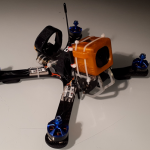
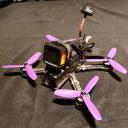
Bonsoir à toutes et à tous! Après le bain forcé de mon chameleon 5" et la perte de l'électronique, je me suis dit qu'il serait pas mal de faire évoluer le bidule vers plus de long range, plus de temps de vol et donc plus de cinématique. L'idée était de garder le cham, même s'il est relativement lourd, en ne changeant que la bottom plate pour la passer en 6". C'est un quad qui vole fabuleusement bien en 5", le support gopro est réglable et en le retournant, on peut aussi régler la cam de 0 à 30d°, donc parfait pour des vols très lents quand on veut filmer le sol. Pas de raison que le passage au 6" n'altère ses qualités de vol...! La différence entre les deux tailles Et les hélices1 point
-
C'est écrit sous mon avatar, un GEPRC MX3 Sparrow (prix correct sur l'ancienne version en F3)1 point
-
Première vraie présentation = ça ne me branche pas, je vais revoir ma copie.. Keufran.1 point
-
Oui j'y ai pensé, c'est le conseil de tous les youtubeurs. Personnellement je voulais un montage propre pour commencer en me disant que j'aurai bien le temps d'apprendre sur le tas en cas de casse. Après j'ai quand même regardé une ou deux vidéos de montage et regardé à quoi correspondent les différents composants d'un quad. Baisser les rates te permet de baisser la puissance de ton drone sur les différents axes. Par exemple si tu pousse le stick des gaz à fond tu peux régler de façon à n'avoir finalement que 70% de la puissance maximale. A cela on ajoute aussi de l'expo (courbe exponentielle) pour avoir moins de sensibilité autours du point zéro.1 point
-
Ça vient de sortir [emoji53] Envoyé de mon SM-G960F en utilisant Tapatalk1 point
-
Chuky et sa pote ont bien grandi [emoji23] Envoyé de mon SM-A520F en utilisant Tapatalk1 point
-
La procedure : The PDF is the instruction sheet on updating the firmware. In a nutshell, format a microSD card and drop the SD_CarDV.bin file onto it. Insert into the DRV and power up the goggles. Long beep means the update is done. There's also instructions on checking and updating the goggle fw version. .0346 is the old version, .0828 is the latest one. "Upgrading▪TF card upgrading1. Format the TF card and load in the upgrading file SD_CarDV.bin into TF card root directory, insert the TF card into the goggles then power it on, the goggles will get into automatic upgrading status and keep beeping, the upgrading will end up with a long alarming. Taking the TF card out to check if the upgrading file SD_CarDV.bin is still there, if not, the upgrading is success, then power it off and restart ; If file is still there, please retry.2.For upgrading failure(wrong processing, TF card took out, goggles powered off), imperative upgrading operation is necessary.a. Power off the goggles, format the TF card and load in the imperativeupgrading file SdFwCode.bin and upgrading file SD_CarDV.bin.b. Insert the TF card into the goggles then long press DVR button verticallyand power it on, release the DVR button when it start beeping, and the upgrading begin, the process will end up with a long alarming. Formating the TF card and power off the goggles and restart.3. Check whether SD card version upgrading succeed or not.First insert the SD card, long-press five-direction DVR button vertically to enter REC mode, long-press five-direction DVR button to the right to enter play video list, long- press DVR button to the left to enter play back menu item, short press DVR button to the right to enter gerneral setting, and finanlly short press DVR button vertically to see the FW Version information. If it is shown 0828 version Version:0003.2018.0828, ungrading successfully. If it is shown 0346 version Version:0002.0001.0346, upgrading failed, please retry. Voilà chef 🙂1 point
-
sur banggood dans la description : https://www.banggood.com/Eachine-EV200D-1280720-5_8G-72CH-True-Diversity-FPV-Goggles-HD-Port-in-2D3D-Built-in-DVR-p-1220010.html apparemment c'est pour résoudre des problèmes d'exposition ??1 point
-
Super ce topic ! J'émets une réserve sur les moteurs. ayant eu ces moteurs sur mon x220s, après une quinzaine de vols j'ai déjà eu 2 moteurs avec des bruits de roulement affreux et des vibrations induites par ceux-ci. Même constat sur le x220s d'un pote. Du coup je crois pas trop au hasard... Envoyé de mon SM-G960F en utilisant Tapatalk1 point
-
Salut, j'ai vu qu'il y avait une mise à jour pour les EV100D : https://drive.google.com/file/d/1vAU3FWgwATqOX2SyYePCL7KesIGKliF2/view Autre chose, depuis hier, on sais qu'elle ne seront pas expédié avant le 30 Septembre. 😞 Va encore falloir attendre.1 point
-
Eachine c'est une marque lowcost (pas forcément mauvaise) du coup quand on débute, avec le prix des lunettes/masques et de la radiocommande ça permet d'alléger les dépenses. En soit, les pièces du kit du Tyro99 sont pas mal, mais ce qui m'embête c'est le chassis hyper serré. J'en ai un du même genre, et c'est la galère pour tout rentrer dans le chassis ou pour faire une intervention sur un élément... Je ne saurais te conseiller un kit, mais We Are FPV à un topic sur quoi prendre pour monter un drône pas cher : https://www.wearefpv.fr/drone-racer-pas-cher-20180118/1 point
-
J'ai débuté comme toi, en hésitant. Au final j'ai pris un drône où il fallait juste souder le récepteur RX. Puis j'ai été obligé de tout le démonter car une pièce était défectueuse en arrivant 😄 Mon conseil, prend un kit à monter. ça va pas te prendre plus de temps avant de pouvoir aller voler, le temps de le monter, mais au final tu gagneras ce temps lorsqu'un problème surviendra. La soudure ça vient vite, j'en avais pas fait depuis le collège, soit... 20 ans ?!! 😵 Il te faut juste un fer à souder (j'en ai pris un à 15 € sur amazon,) une loupe avec 3ème main, de l'étain et ça devrait aller pour commencer🙂 Niveau kità monter, faut fouiner un peu, mais le Tyro99 à le vent en poupe en ce moment.1 point
-
En plus je vois que le vtx semble fixe à 200mw... Envoyé de mon SM-G960F en utilisant Tapatalk1 point
-
La Tango 2 est prévue pour décembre sous OpenTX et sans écran. Si l'ergonomie est cool et le prix pas déconnant je pense la prendre 😛1 point
-
Je l'ai reçu ! Il est actuellement en montage, je mettrai un photo quand il sera fini.1 point
-
Ce qui change ? Ben c'est exactement le même produit. Après tu peux espérer un meilleur sav si tu l'achète local. Le sav avec la chine c'est quand même plus galère. Arf = almost ready to flight. Qui veut dire presque prêt à voler. Tu doit donc encore rajouter un récepteur et avoir une radio commande cela va de soi. Et des lunettes ou masque fpv. Envoyé de mon SM-G960F en utilisant Tapatalk1 point
-
1 point
-
Seulement ? Faut que j'aille consulter moi...... Envoyé de quelque part avec un truc qui sert à envoyer des messages.1 point
-
Oh merde j'ai la syphilis ☹️1 point
-
Je trouve la portée de l'antenne interne de la X-Lite nickel pour les endroits où je vole, il faut dire aussi qu'avant j'étais en Spektrum DSMX Europe 😁1 point
-
RRRRROOOOOHHHHHHH...! Je viens de voir la review de la Falkor VS les autres faite par le boss: je me suis fait dessus tellement elle a l'air bien 🙂 Hâte de monter tout ça, moi... 😍1 point
-
@Motard Geek en a 1 Vcanz il me semble, et une qui a pris tarif aussi...Toujours vivante, elles ont l'air robustes comme les acehes1 point